
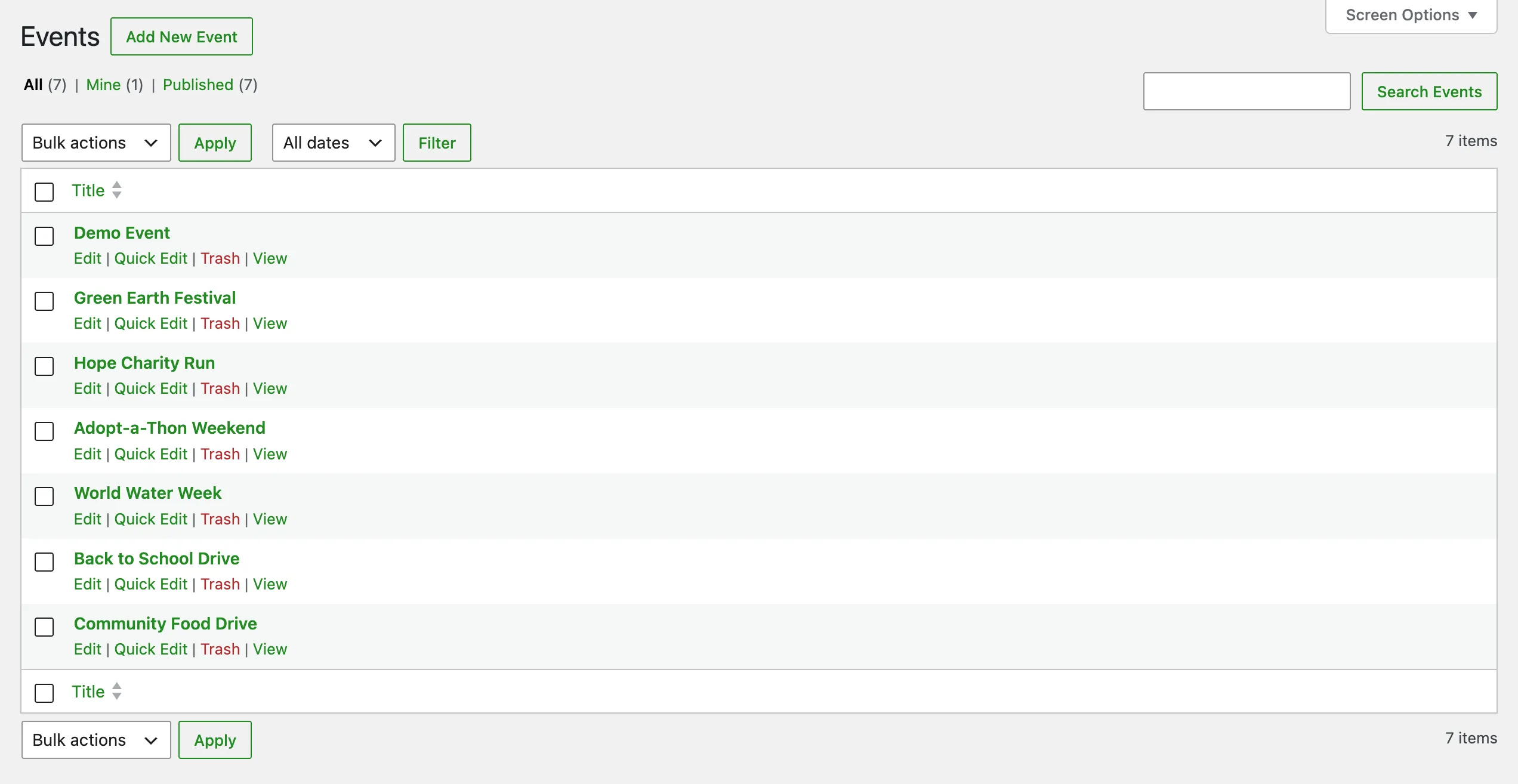
An Event groups several campaigns and fundraising pages under one banner: a gala, a marathon, a giving day. Events used to be a hierarchical taxonomy. As of Fundations 2.9.0 get_fund_event is a full custom post type, so an event now has its own editable page, featured image, owner, and aggregated totals. This is a free feature.
Why use this
A charity that runs more than one event a year needs to keep each one separate without spinning up a new site. An Event gives every campaign and fundraiser underneath it a shared home page and a single running total. Supporters browsing the event see one combined goal and progress bar, even though the money is raised across many individual pages.
Because an event is now a post and not a term, it can carry a description, a hero image, blocks, and an owner. The owner is the organisation or person responsible for that event, stored in the _get_fund_event_owner_id meta.
What changed in 2.9.0
If you used events before, the model is different now:
| Before (taxonomy) | Now (CPT) |
|---|---|
get_fund_event was a hierarchical taxonomy term | get_fund_event is a non-hierarchical post type |
| Parent/child via term hierarchy | Grouping via the _get_fund_campaign_id meta chain |
| No page of its own | Full block-editor page with title, image, and content |
| No owner | Owner stored in _get_fund_event_owner_id, editable in the block editor and writable over REST |
| Totals not aggregated | Event page shows the combined goal and raised amount of every fundation under it |
The registrar method in includes/class-get-fund-post-types.php is still called register_taxonomies() for historical reasons, but it registers a post type. Use post meta, never term meta, when working with events in code.
What it does
The get_fund_event post type is:
- Non-hierarchical (no parent/child terms).
- Public, with single and archive templates.
- Shown in the admin under Fundations > Events.
- Registered in the REST API with base
get_fund_events. - Rewrite slug
event(so an event lives at/event/your-event/). - Supports a title, editor content, featured image, and excerpt.
How an event totals up
A fundraising page belongs to an event in one of two ways. It can carry _get_fund_event_id directly, or it can inherit the event from the campaign it joined. Inheritance is resolved by climbing the _get_fund_campaign_id chain: if a child has joined a campaign that already has an event, the child takes the parent campaign’s event and its own event is ignored. This keeps every fundraiser under a campaign reporting into the same event without anyone having to set the field twice.
When a visitor opens an event page, the progress, goal, and raised-amount blocks read an aggregate rather than a single post. Fundations collects every fundation that resolves to that event, sums their goals and raised amounts (including the manual _get_fund_raised_amount_offset boost), and renders the combined figures. If the exclude tips from amounts option is on, platform tips are left out of the totals.
The Event Card block
The get-fund/event-card block shows the event a page belongs to as a small card. It is deliberately conservative about when it appears. It renders in exactly two places:
- On a single fundation page, showing that page’s assigned (or inherited) event.
- When an event filter is active on an archive, shown as a banner for the filtered event.
It does not render on the unfiltered fundations overview, and it does not render once per item inside a Query Loop. The block always outputs its wrapper element even when there is nothing to show, so the Pro Filter Bar can swap its contents over AJAX when the visitor changes the active event.
Card settings in the block sidebar:
| Setting | Attribute | Default |
|---|---|---|
| Show event name | showName | true |
| Corner radius | cardBorderRadius | 8 |
| Padding | padding | 24 |
| Background color | backgroundColor | (theme default) |
| Name color | nameColor | (theme default) |
| Name font size | nameFontSize | 0 (inherit) |
| Name font weight | nameFontWeight | 0 (inherit) |
Who can create events
The get_fund_event_creation option controls whether ordinary fundraisers can create events, or only administrators:
| Value | Behaviour |
|---|---|
admin_only (default) | Only administrators create events, from Fundations > Events. No event field appears in the wizard or the frontend edit form. |
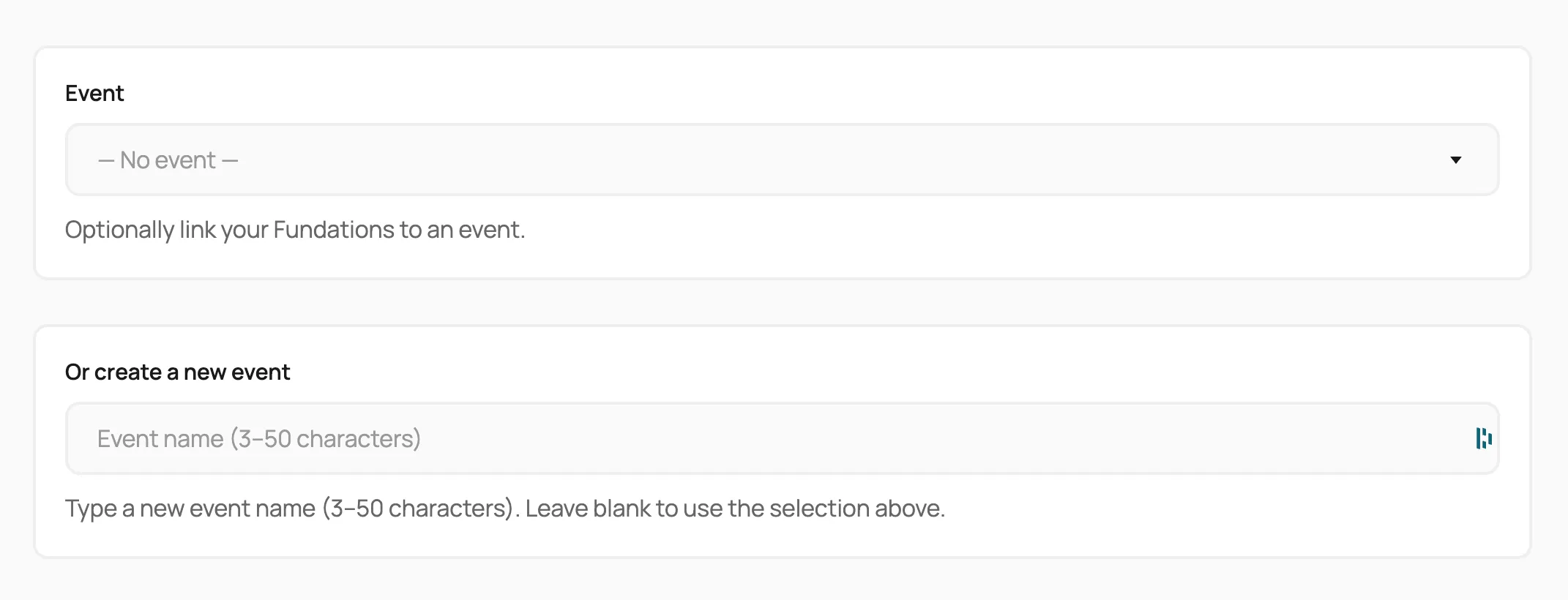
all_users | An event picker appears in the Action Wizard, the frontend edit form, and the My Fundations group-assignment page. A fundraiser can select an existing event or type a new name to create one. |
This setting lives under Fundations > Settings > Wizard.
When all_users is set, the wizard and edit form expose:
- Select an existing event by ID.
- A new event name (3 to 50 characters, measured with
mb_strlen).
Submission resolves the value like this:
- If a new event name is given and valid, search for a post with that exact title. Reuse it if found, otherwise create one with
wp_insert_post. - If an event ID is given, use that post directly.
- Event inheritance still wins: if the page joined a campaign that already has an event, that event is used and the chosen one is ignored.
How to use it
Create an event as an admin
- Go to Fundations > Events in the WordPress admin.
- Click Add New.
- Give the event a title, description, and featured image.
- In the editor sidebar, set the Organisation Owner so the right user is credited and can manage the event.
- Publish.
- Open a campaign or fundation and assign it to the event, or let it inherit the event from the campaign it joins.
Let fundraisers create events
- Go to Fundations > Settings > Wizard.
- Set Event creation to All users.
- Save.
- The wizard and frontend edit form now show the event field.
What you can and cannot do
You can give an event its own page with content and an image, set an owner, let fundraisers attach their pages to it, and show a single combined goal for everything underneath it.
You cannot nest one event inside another: the post type is flat. Grouping happens through the campaign chain, not through event parents. Duplicate event names are not blocked either. If a typed name matches an existing event, that event is reused.
Troubleshooting
Event field does not appear in the wizard. Confirm Event creation is set to All users under Settings > Wizard, then clear any page cache.
The event total looks wrong. The total is the sum of every fundation that resolves to the event, after inheritance. If a campaign already has an event, its children report into that event, not their own. Check the campaign’s event before the individual page’s.
Event page returns a 404. Flush permalinks at Settings > Permalinks > Save Changes. The event rewrite slug is event.
Owner cannot be changed. The owner is stored in _get_fund_event_owner_id. It is writable over REST only for users who can edit the event post, which is what the Organisation Owner sidebar panel relies on.
Developer reference
| Symbol | Type | Notes |
|---|---|---|
get_fund_event | post type | Non-hierarchical, REST base get_fund_events, rewrite slug event. |
_get_fund_event_id | post meta | The event a fundation is assigned to directly. |
_get_fund_event_owner_id | post meta | WP user ID of the event owner. REST-writable for editors. |
_get_fund_campaign_id | post meta | The join chain that drives event inheritance. |
get_fund_event_creation | option | admin_only or all_users. |
get_fund_event_creation | filter | Filter the same value at read time to override per request. |
The aggregation helpers live in includes/class-get-fund-block-editor.php: effective_event_id() resolves inheritance, get_event_fundation_ids() collects every page under an event, and get_event_aggregate_data() returns the combined totals used by the progress blocks.