
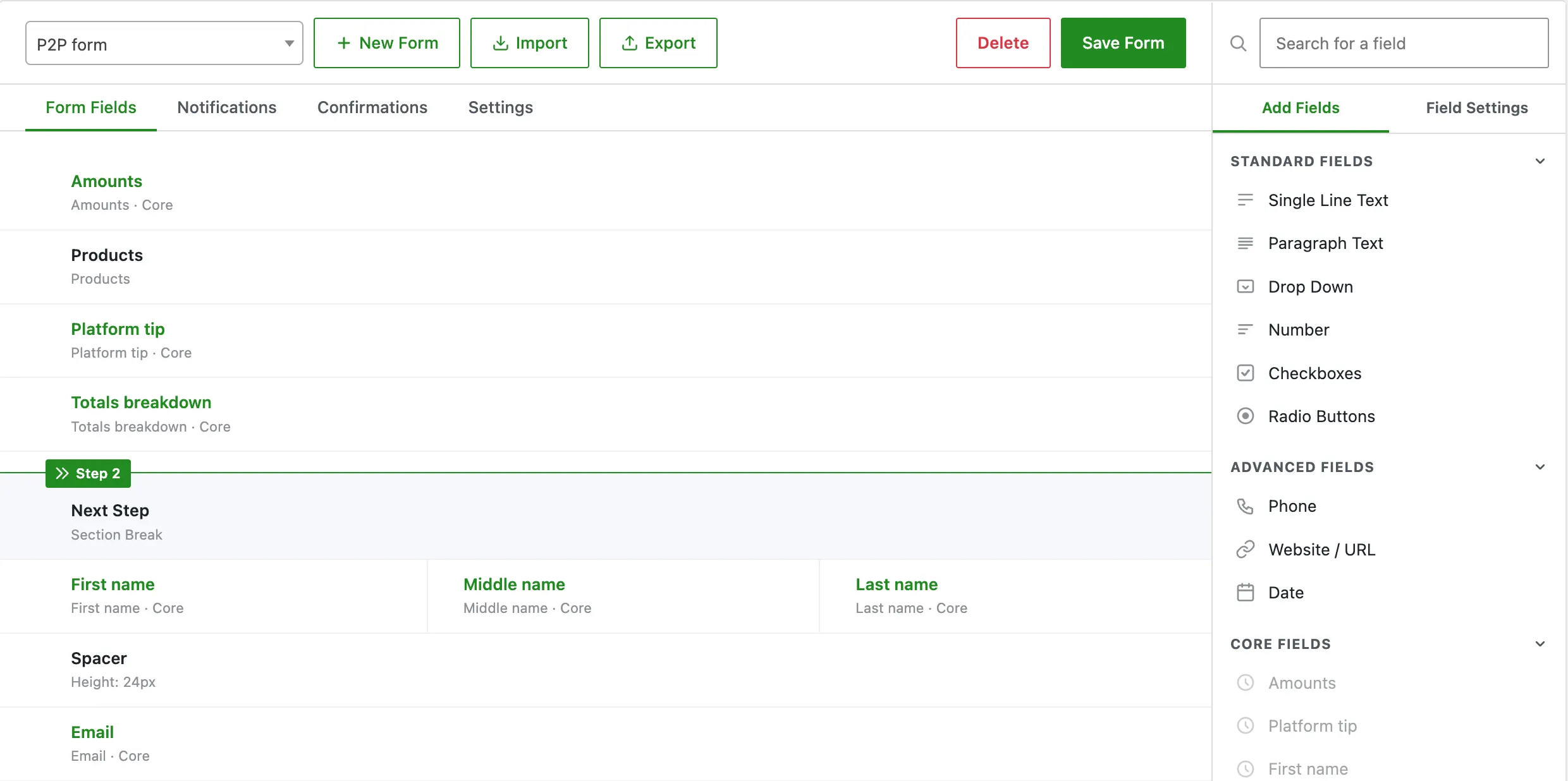
A form can send its own emails and show its own confirmation when someone submits it, with conditional logic and any number of recipients. This works the way most form plugins do: each form template carries a list of notifications and a list of confirmations, each with its own conditions. It covers forms that are not donations at all, such as a petition or a contact form, as well as donation forms that need a tailored receipt. Added in 2.9.0 as a free feature.
Why use this
The lifecycle emails on the Emails screen fire on donation and account events. They cannot cover a petition that needs to email a campaign coordinator on every signature, or a donation form that should send finance a copy only when the amount is over a threshold. Per-form notifications attach to the form itself, so any form can email anyone, and confirmations can branch to a thank-you message, a page, or a redirect based on what was submitted.
What it does
Notifications and confirmations are stored inside the form template, in the get_fund_form_templates option, under each template’s notifications and confirmations keys. You build them in the form template editor, not in code.
Notifications
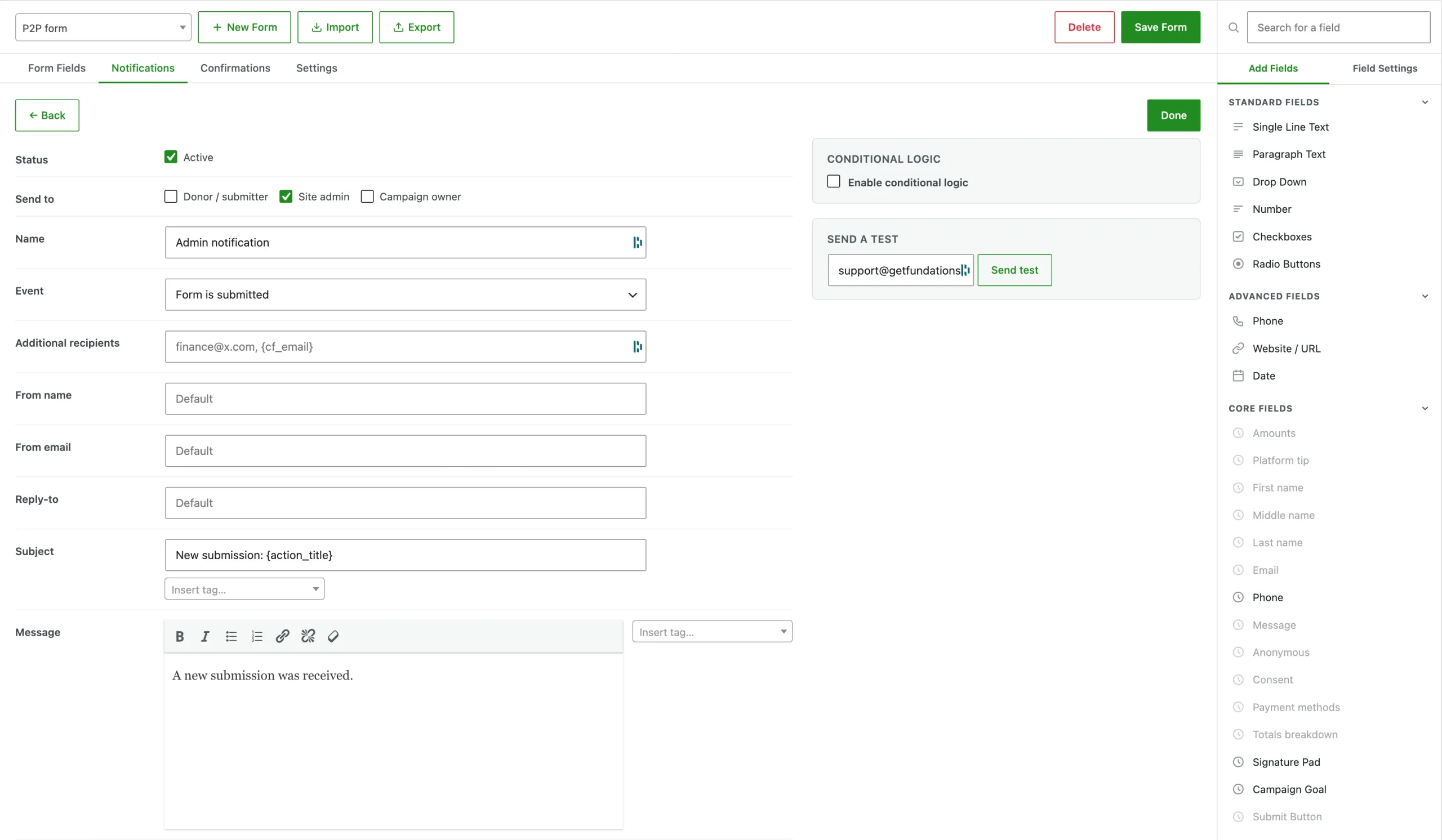
A notification is an email the form sends when an event fires.
| Field | Purpose |
|---|---|
| Name | A label for you, not shown to recipients. |
| Enabled | Whether it sends. |
| Event | submission, payment_completed, or payment_failed. |
| To | Any of the role tokens donor, admin, owner. |
| Custom recipients | Literal addresses and tags, for example finance@example.com, {cf_email}. |
| From name, From email, Reply-To | Optional per-notification overrides; otherwise the global From identity is used. |
| Subject and message | Free text with {tags}, the same tags the lifecycle emails use. |
| Conditions | Send only when the submission matches a rule set. |
The event matters because timing differs. A petition notice fires on submission, the moment the form is sent. A donation receipt fires on payment_completed, after the gateway confirms payment. A payment_failed notice fires when a donation moves to failed or cancelled.
Recipients in To are resolved to real addresses (the donor’s email, the site admin, or the page owner). Custom recipients is rendered through the tag engine first, so {cf_email} becomes whatever email the submitter typed into that field, which is how you route a confirmation back to the person who filled in a non-donation form.
Confirmations
A confirmation is what the submitter sees after a successful submission.
| Type | Behaviour |
|---|---|
message | Show inline confirmation text (rendered with tags). |
page | Send the submitter to a chosen page. |
redirect | Send the submitter to any URL. |
Confirmations also carry conditions, so a form can show one message for one answer and redirect for another. For paid donations, the redirect or page confirmation is applied after payment completes, on template_redirect. The per-template thank-you page set in the form’s routing still applies as the default; confirmations extend it with conditional message, page, and redirect options.
Conditional logic
Both notifications and confirmations can be gated by a condition group:
- Logic:
all(every rule must pass) orany(one rule is enough). - Rules: each rule compares a field to a value.
Operators: is, is not, contains, does not contain, greater than, less than, empty, and not empty. Text comparisons are trimmed and case-insensitive; numeric comparisons cast both sides to numbers.
Rules can target a custom field by its ID or a system field by a friendly name: donation_amount, donor_email, donor_name, donor_first_name, donor_last_name, donor_phone, donor_message, donation_type, payment_provider, and is_anonymous. So “email finance only when donation_amount is greater than 500″ is a single rule.
How it fits with the lifecycle emails
There is a deliberate fallback so existing sites keep working. When a donation is paid, Fundations checks whether that donation’s form defines a payment_completed notification. If it does, the per-form notifications send and the global receipt is skipped for that form. If it does not, the global donation_receipt sends as before. You only opt in to per-form receipts where you build them.
How to use it
- Go to Fundations > Forms and open a form template.
- Open the Notifications panel.
- Add a notification. Pick the event, set recipients, write the subject and message with tags.
- Optionally add conditions so it sends only in the cases you want.
- Use the test send to mail yourself a sample.
- Open the Confirmations panel and choose a message, page, or redirect, with conditions if needed.
- Save the template.
What you can and cannot do
You can send any number of notifications per form to a mix of roles, fixed addresses, and submitted email fields, each gated by its own conditions. You can branch the confirmation between text, a page, and a redirect on the same conditions. Because tags resolve against the submission, the same template adapts to each entry.
You cannot use per-form notifications to change the account lifecycle emails (welcome, claim, expiry): those stay on the Emails screen. Conditions compare single field values, not arbitrary expressions across fields.
Troubleshooting
A donation form sends two receipts. Either the form defines a payment_completed notification and the global receipt is also enabled for an overlapping case, or two notifications match the same event. Per-form receipts replace the global one for that form; remove the duplicate notification.
A notification never sends. Check the event first. A receipt set to submission fires before payment, when there is no confirmed donation. Donation receipts belong on payment_completed. Then check the conditions: an all group fails if any rule fails.
{cf_email} is empty in the recipient list. The tag resolves to the value the submitter entered in that field. If the field was optional and left blank, there is no address to route to. Make the field required, or add a fallback recipient.
Developer reference
| Hook | Type | Notes |
|---|---|---|
get_fund_email_attachments | filter | Add attachments to a per-form send. The context includes the event key. The Pro PDF receipt attaches here for payment_completed. |
get_fund_donation_meta_saved | action | Drives the submission dispatch. |
get_fund_donation_status_transition | action | Drives the payment_failed dispatch. |
The engine is Get_Fund_Form_Notifications in includes/class-get-fund-form-notifications.php; the condition evaluator is Get_Fund_Form_Conditions in includes/class-get-fund-form-conditions.php. Notifications and confirmations are dispatched from there and reuse Get_Fund_Email_Tags for all tag rendering.